





On every screenyou eat by.
Apple Watch, Mac, Apple TV, widgets, Siri, Live Activities, Android and Wear OS — log and check wherever you are.





Wherever you eat.
Apple Health and Health Connect
Calories, macros, caffeine, water and weight go to Health. Steps, sleep, heart rate and activity come back to foodoo.


Apple Watch
Say what you ate and it's logged right from your wrist. Water in one tap — and on the watch face, how long your food will keep you full.
Widgets
Your day on the Home Screen and Lock Screen.
 68%
Siri
“How many calories do I have left?” Or ask your pet.
Android
The full app on Google Play — plus Wear OS with a tile and a watch-face complication.

Protein is on target, fiber is strong, and your meals are spread evenly through the day.

Weekly art
Log 5 days of a week and get a one-off character made of your top foods.



 Your week
 by email
Every Monday morning: days logged, plants, highlights and the week's art in one email. Off with one switch.
Secrets
Some foods, dates and moments hide surprises — and secret badges. We won't say which.





Works offline
No signal? Log anyway — it's analyzed when you're back.
13 languages
From English and Español to 日本語 and Русский.
Oura, WHOOP, Garmin and the rest.
Connect your watch, ring or scale straight to its own account — Profile → Devices and apps → Watches and rings. Nights, activity and weigh-ins come in by themselves, on iPhone and Android.
 Oura
 WHOOP
 Garmin
 Polar
 Withings
 Fitbit
Your nights
Sleep from your ring or watch sets your own clock: when the pet sleeps, when your evening starts, and how food goes with how you slept.
Activity and recovery
Steps, burned energy, resting heart rate and HRV — counted once, whichever device saw the most.
 9,840
 2,310 kcal
 7 h 25 min
Weigh-ins from the scale
A smart scale’s weigh-ins land in your weight history on their own.
Health comes first
Apple Health or Health Connect stays the first source; a brand only fills what Health doesn’t have, and the same night is never counted twice.
“Log my usual breakfast.”
Your own dishes are known to Siri, Spotlight and the Action button — and they log without opening foodoo.
Your dishes, by name
Pots, usual meals, favourites and suggestions — each one Siri can log. Breakfast, lunch and dinner are named by your own day, not the clock.
 Logged: Oatmeal with banana
Undo by voice
Logged the wrong thing? Undo it the same way — or with the button on the snippet.
Add to foodoo
On iOS 18 a photo or words can go to foodoo from Shortcuts and Apple Intelligence.
The big screen. And your desk.
foodoo has apps of its own for Apple TV and Mac — the same account and diary, the same coach and pet. On the TV you sign in by scanning a code with your phone.
Apple TV: cook along
Recipes from your coach and pet on the big screen, a step at a time, with timers that ring. Say what you ate into the Siri Remote — and everyone at home picks their own profile.
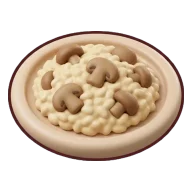 Mushroom risotto·Step 3 of 5
Pour in a ladle of hot stock and stir until the rice takes it in.
Mac: the diary at hand
Type what you ate, drop in a photo or record a voice note. Today's calories in the menu bar, the week in charts, recipes in a window of their own, your coach and pet.
The big screens understand too.
Everything the phone’s food field learned works on the Mac and the TV: questions, corrections and vitamins. Dishes appear as soon as they are named.
⌃⌥F, from anywhere
A quick panel floats over whatever you’re doing: type the meal, press Return and carry on. Or select words in any app and choose Services → Log in Foodoo.
Widgets and Shortcuts
The phone’s widgets on the Mac desktop, with Log Food and +250 ml buttons. Shortcuts log food, a photo or water, tell you about today or ask Chef.
The same statistics
Any period, the diet plate, plants and vitamins against your norms, on the Mac and the TV exactly as on your phone.
Say it to the TV
Dictate “there were two” or “no sugar” into the TV’s field and the dish is corrected, with Undo. Ask a question and Chef’s answer appears on the screen.
Your pet, on every screen
In pet mode the Mac and the TV talk to your pet instead of Chef, and the questions you say go to it too.
Your diary, where you already type.
Tell the foodoo bot in Telegram what you ate, send it a photo or a voice note — or log from the terminal. It all lands in the same diary as the app.
A bot in Telegram
Words, photos and voice notes; water, today's diary and statistics, with undo and portions.
Open the bot Oatmeal with bananaCoffee with milk
foodoo in the terminal
One command installs it on macOS and Linux. Log food without leaving the keyboard.
Install Fried eggs180 kcalAvocado toast290 kcal
Connected in a tap
The bot or the terminal shows a code. Confirm it in the app — Profile → Devices and apps — or here on foodoo.fit.
Say what you ate. It’s in your diary.
foodoo works with Amazon Alexa. Tell Alexa what you had or how much water you drank, or ask how your day is going — with your hands still in the dough.
Food and water by voice
The speaker answers at once; the dish appears on your phone a minute later, counted just like a photo or a typed meal.
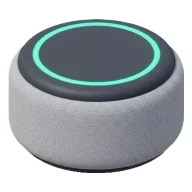 Oatmeal with banana320 kcal · 300 gCoffee with milk45 kcal · 200 g
How is my day going?
Ask how much you have eaten today and hear calories, protein, fat, carbs and water back.
Set it up once
Say “Alexa, enable plate pal” and sign in with your foodoo account when the Alexa app asks. It shows up in foodoo under Profile → Devices and apps, where one tap disconnects it.
Unfolds with your iPhone Duo.
Open the phone and foodoo spreads out: your pet and your day on one half, the diary on the other. Stand it half open on the table and your hands are free.





The diary on the cover, the same diary inside. Open up — and your pet moves in beside it.
More in foodoo


Change something. Or nothing.
Either way, you'll know what you eat.